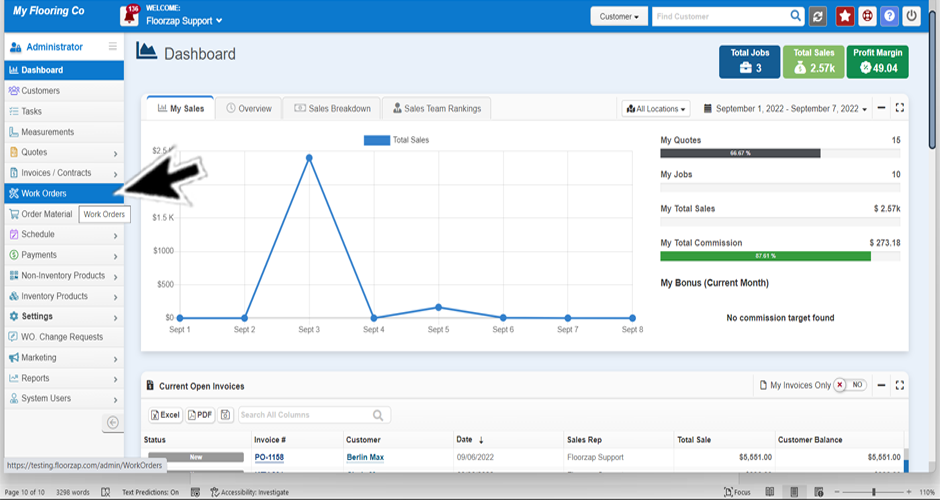
- If you’re not already on the workorder screen navigate there by clicking on the workorders tab from the dashboard.
- Select the line that indicates the workorder you are wanting to look at by clicking on it.
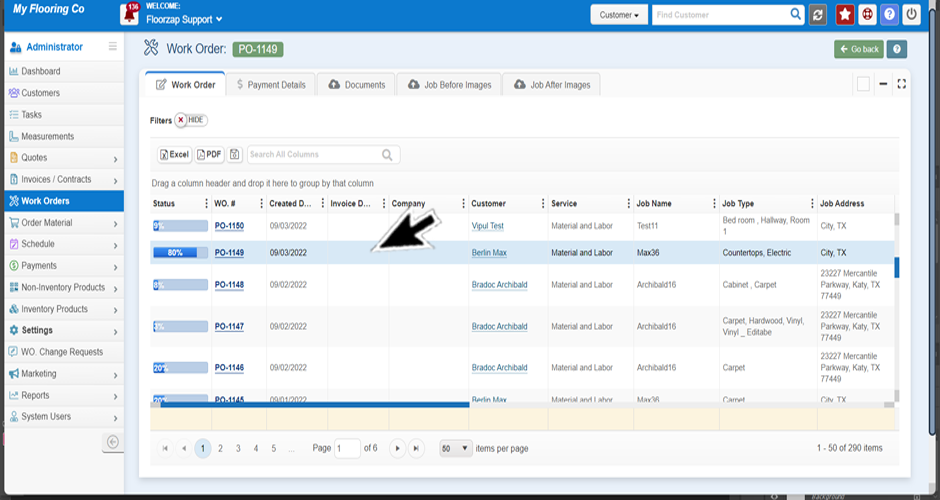
- Once you have clicked on the line item you will be able to open the documents file from the top of the page.

*Here you will see the signed contract and other important documents.
Search Knowledge Base Articles
How do I view a signed invoice or contract from the workorders section?
Did you find this article useful?
Related Articles
-
Why can't I find a workorder?
The invoice isn’t signed. To get the invoice to show up in the workorders section, have the cu... -
How do I view the before and after pictures for a particular work order?
If you’re not already on the workorder screen navigate there by clicking on the workorder tab ... -
How do I sort the columns on the workorder page by status?
There are multiple ways you can do this. Option 1: If you’re not already on the workorders scr... -
How do I keep my workorder filter from changing?
If you’re not already on the workorders screen navigate there by clicking on the workorders ta... -
How do I remove unnecessary columns from the workorders screen?
If you’re not already on the workorders screen navigate there by clicking on the workorders ta...