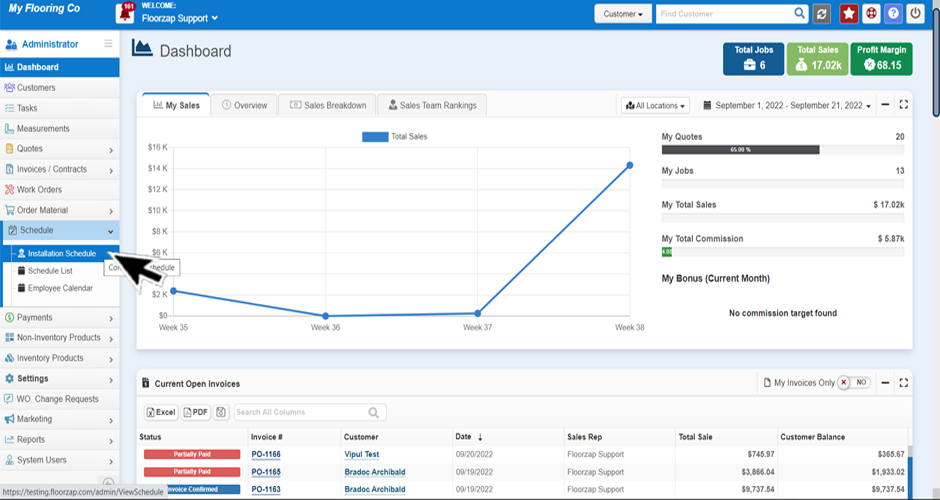
- First you will want to make sure you’re on the installation schedule page. Get there by selecting the “schedule” tab from the left-side menu on the dashboard and then click on installation schedule.
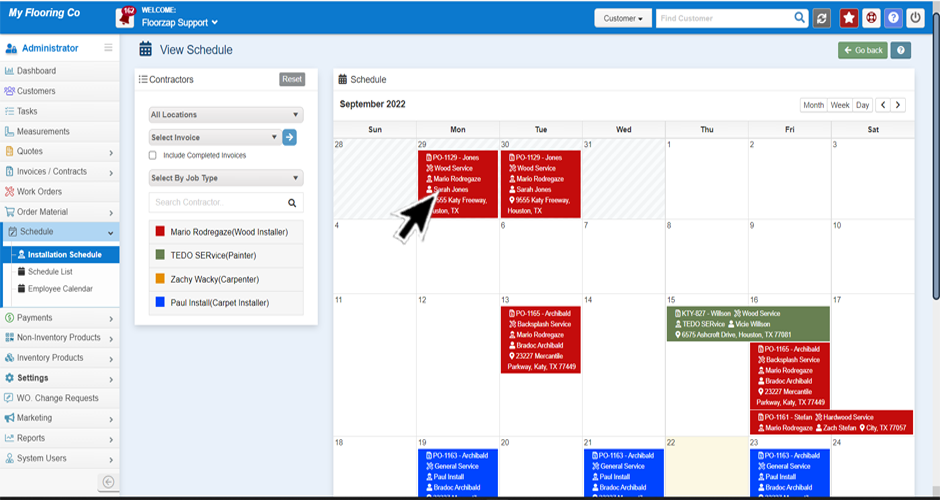
- Click the calendar square that is displaying the installation appointment you would like to update.
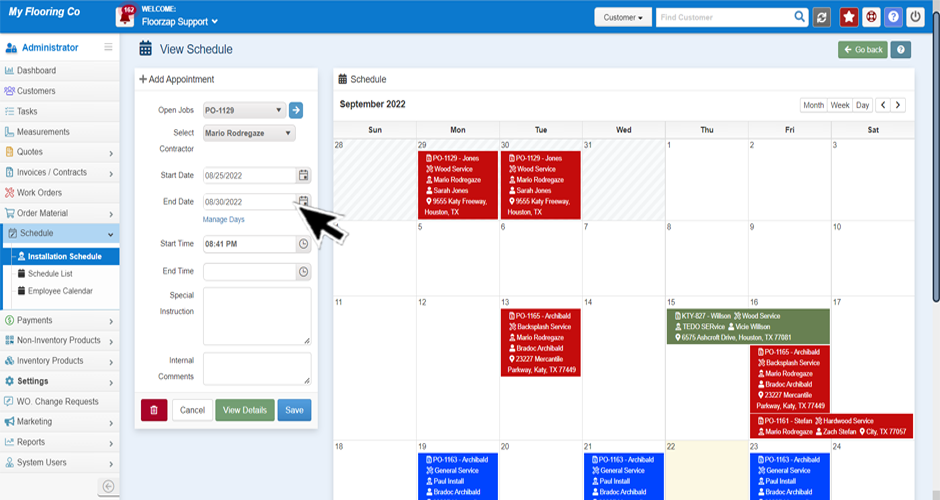
- Change the date/time or other information on the column to the left of the calendar.
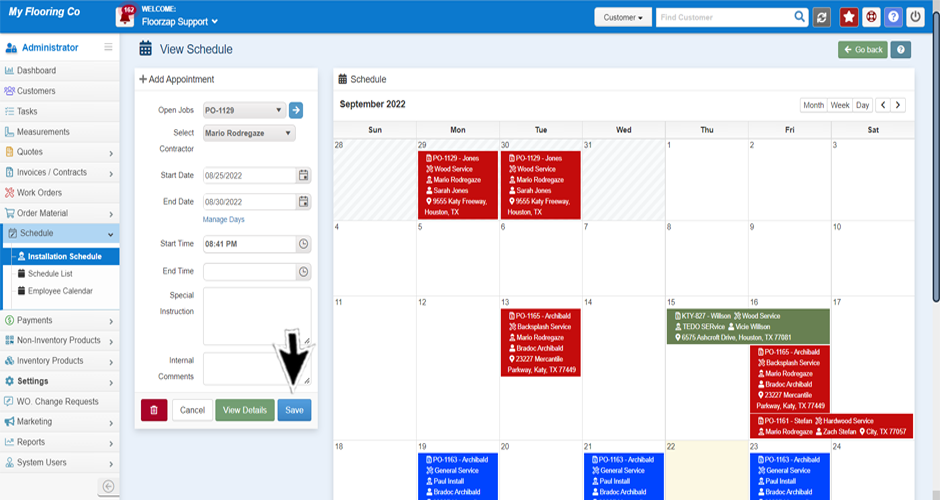
- Click save to save your changes.
Search Knowledge Base Articles
How do I change the installers schedule on a specific invoice?
Did you find this article useful?
Related Articles
-
How do I schedule a new install?
First you will want to navigate to the schedule. Do so by selecting the “schedule” tab f... -
How do I change the date on a new installation?
There are two ways to do this: First you will want to make sure you’re on the installation sch... -
How do I block out an installer's availability?
First you will want to make sure you’re on the installation schedule page. Get there by select...